

A website chatbot is useful only when it helps a visitor take the next sensible step. For many organizations, that means answering product questions, directing people to the right resource, explaining a process or helping a customer find support. It does not mean placing a generic chat window on every page and hoping it can answer anything.
The strongest conversational AI projects begin with a clear scope, a maintained knowledge base and a testing process before the widget reaches a public website. This approach helps teams make the chatbot more useful while keeping its behavior aligned with the information they are prepared to share.
Start with the job the chatbot should do
Before selecting a model or uploading documents, define the visitor problem. A sales chatbot may help a buyer understand product capabilities and request a demo. A support chatbot may surface documentation and help a user choose the right support path. An internal chatbot may help employees find controlled knowledge within an organization workspace.
A narrow first use case is easier to test than an open-ended promise. It also provides a useful way to measure whether the chatbot is helping: are visitors finding the right page, reducing repeated support questions, or reaching the right team with better context?
Three steps from knowledge to a website chatbot
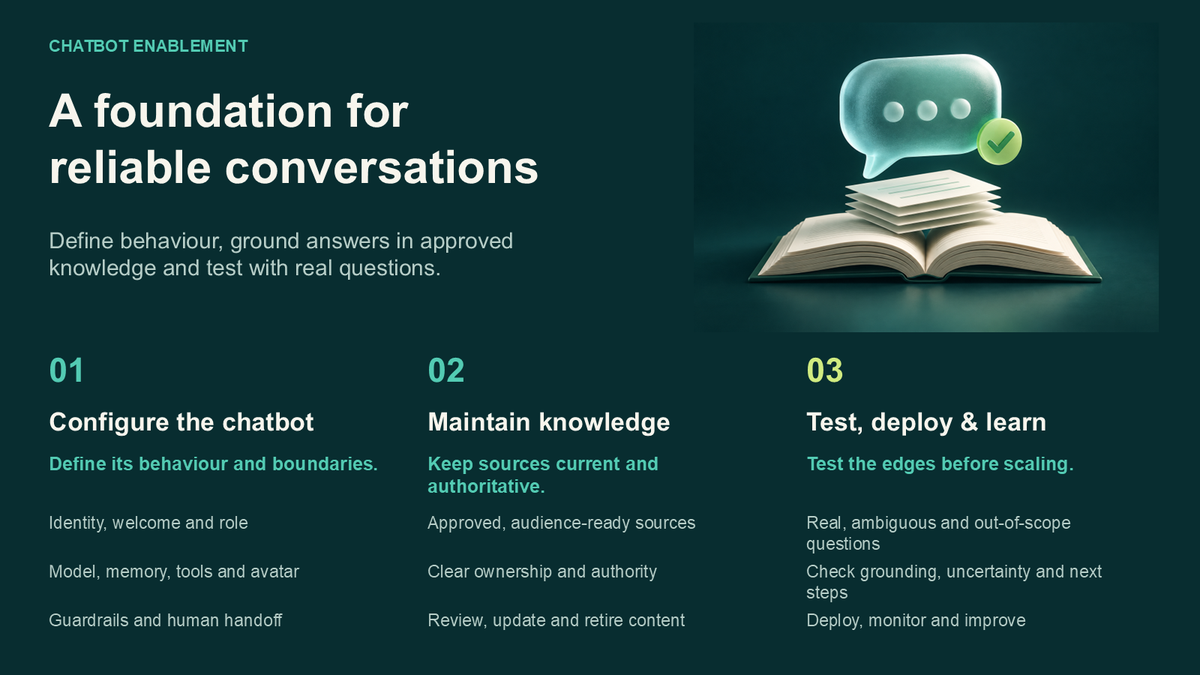
1. Configure the chatbot
Give the chatbot a clear identity, welcome message and expected role. Configuration should make it possible to define the model behavior and the available memory, tools and avatar settings without mixing these choices into a single opaque prompt.
A useful configuration also makes boundaries clear. For example, a chatbot can be instructed to avoid presenting policy, pricing or technical claims that are not present in its approved knowledge source. When it cannot answer, it should offer a sensible human or product next step.
2. Add and maintain knowledge
A knowledge base gives the chatbot content to use when responding. Start with information that is accurate, current and written for the intended audience: product documentation, help articles, approved FAQs, deployment guides or a carefully maintained company knowledge set.
Knowledge is not a one-time upload. Teams should review it when pricing, product behavior, policies or support processes change. Ownership matters: someone needs responsibility for deciding what is authoritative, what has been retired and what requires review.
3. Test, deploy and learn
Testing should happen before deployment. Ask the chatbot the questions visitors actually ask, including ambiguous questions, missing context and questions outside its intended scope. Review whether it uses the knowledge appropriately, acknowledges uncertainty and sends the visitor to the right next step.
For a website widget, deployment should include an approved domain, a generated embed snippet and a way to verify the widget identity without exposing signing secrets in the browser. After launch, usage reporting can help a team understand conversation patterns and identify material that the knowledge base should cover more clearly.
Why knowledge grounding matters
General-purpose language models can produce fluent answers, but fluency alone is not enough for a customer-facing experience. Grounding a chatbot in maintained organizational knowledge gives the team a better basis for reviewing its answers and updating the information behind them.
Grounding does not remove the need for testing or human ownership. Documents can be outdated, incomplete or internally inconsistent. A responsible workflow pairs knowledge management with clear escalation paths, periodic review and careful release testing.
A practical testing checklist
- •Ask the most common visitor questions and confirm that the chatbot uses the intended source material.
- •Test unclear, incomplete and out-of-scope questions to confirm that it does not invent an answer.
- •Check product names, URLs, contact routes and required disclosures after every major knowledge-base update.
- •Review the website widget on the approved domain before sharing it publicly.
- •Use conversation patterns to identify missing documentation and improve the next release.
Design for a useful handoff
A chatbot should not trap a visitor in a conversation. The right handoff might be a relevant product page, a support resource, a demo request or a human contact route. Clear handoffs are especially important for questions involving account access, contractual commitments, sensitive data or issues requiring an authorized decision.
How Transpera.io Conversational AI Platform supports this workflow
Transpera.io Conversational AI Platform provides a managed workspace for configuring website AI chatbots, connecting knowledge bases, testing chatbot behavior, deploying a website widget and reviewing usage reports. Teams can work with dedicated areas for chatbot configuration, LLM settings, memory, tools and avatars.
The platform is designed for organizations that want a visible process from configuration to deployment. A chatbot can be tested before its website rollout, then associated with an approved domain and widget embed flow. The focus is controlled, useful customer conversations grounded in information the organization manages.
Build the first version deliberately
The best first chatbot is not the chatbot that claims to answer every question. It is the one that serves a clear audience, draws from dependable knowledge, behaves predictably in testing and gives visitors a helpful next step. Once that foundation works, teams can expand the knowledge base and capabilities with evidence from real use.