
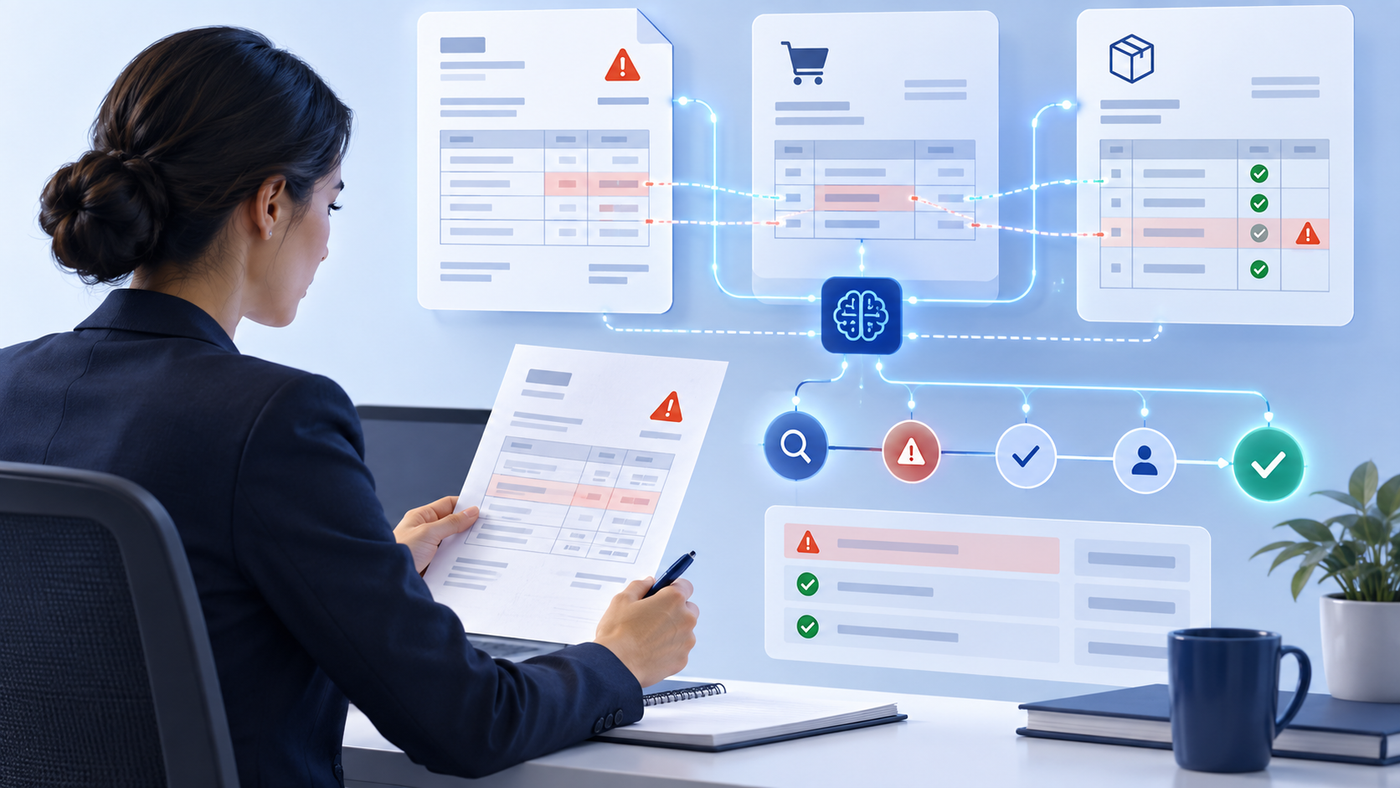
Accounts payable teams are asked to move quickly without losing financial control. Invoices arrive through multiple channels, procurement records are incomplete or inconsistent, and reviewers need evidence before an invoice can move forward. The work is repetitive, but the decisions are not.
AI-assisted accounts payable automation is most useful when it improves the path from invoice intake to a decision while keeping the right people in control. That means bringing document data, matching evidence, exceptions, approval policies and ERP status into one workflow rather than treating each as a separate task.
Why invoice processing becomes difficult at scale
A typical invoice may need to be read, classified, checked for completeness, compared with a purchase order and goods receipt, routed for approval and eventually posted to an ERP. Each handoff creates a chance for data to be re-entered, a missing reference to be overlooked, or a question to sit unresolved in an inbox.
The challenge is not simply extracting text from a PDF. Finance teams need to know whether the invoice is complete, whether its totals are consistent, whether a similar invoice was already received, and whether the procurement evidence supports the requested payment.
A controlled workflow from invoice to ERP
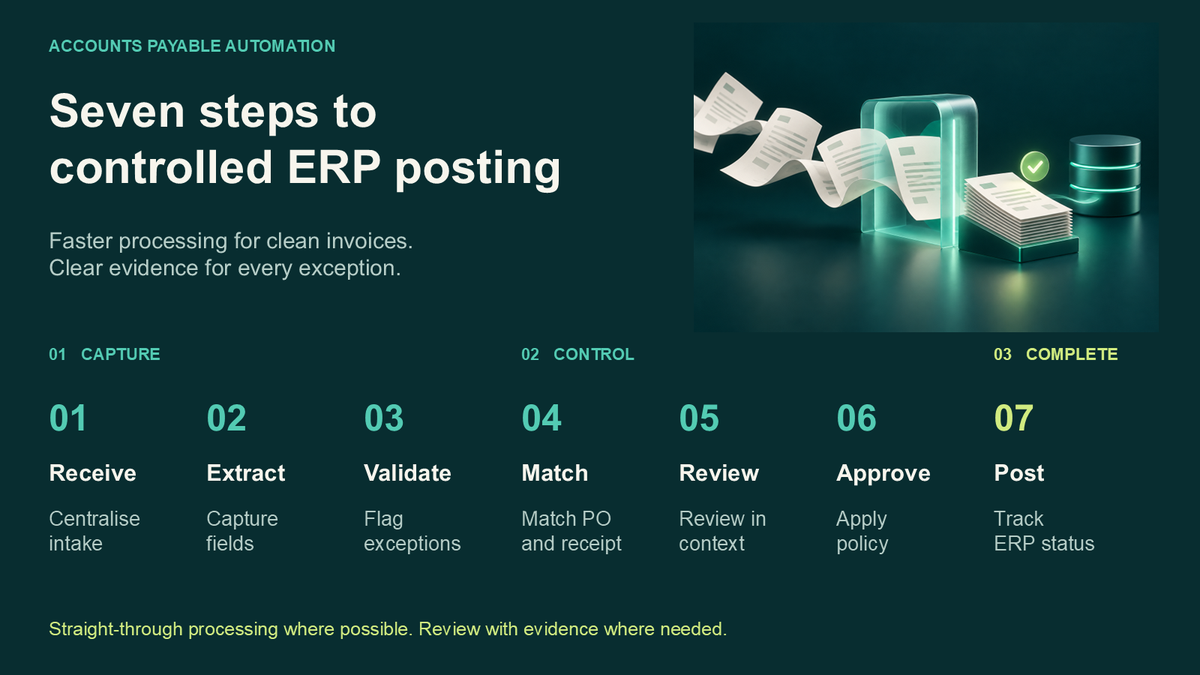
A practical AP workflow can be organized around seven steps. The sequence makes the evidence visible before a financial action is taken.
1. Receive
Invoices enter through upload or an authorized mailbox. A single intake point makes it easier to see what has arrived and what still needs attention.
2. Extract
AI-assisted extraction captures fields such as supplier, invoice number, currency, tax, totals and line items. The source document should remain available beside the extracted values so reviewers can verify the result.
3. Validate
Validation checks for missing required fields, mathematical inconsistencies, low-confidence values and potential duplicates. A good workflow does not hide uncertainty; it presents it as a clear exception for review.
4. Match
Where procurement records are available, the invoice can be compared with purchase orders and goods receipts at header and line level. Price, quantity and receipt variances should be visible before approval.
5. Review
Exceptions need context. The reviewer should be able to inspect the invoice, matching evidence, line items and validation result in one place instead of assembling the case from email threads and separate systems.
6. Approve
Approval policies can determine when an invoice needs an authorized decision and when an eligible low-risk invoice can move forward automatically. Matching, confidence, value and exception policies should be configured to reflect the organization’s controls.
7. Post
Once approved, eligible invoices can be posted to a connected ERP. Posting status and retry tracking help the team distinguish a completed ERP action from a workflow that still needs attention.
Where AI assistance helps and where human judgment remains essential
AI can reduce the time spent locating invoices, reading line items, identifying likely exceptions and preparing a review. It can also help a finance user understand why matching failed or what information is missing. These are assistance tasks, not a replacement for governance.
Sensitive decisions, unusual invoices and exceptions should remain under authorized human control. Teams should define escalation paths for non-PO invoices, credit and debit notes, combined documents, supplier disputes and requests that fall outside established tolerance rules.
Questions to ask before choosing an AP automation workflow
- •Can the team review extracted values alongside the original invoice?
- •Does the workflow make validation and matching exceptions explicit?
- •Can approval policies distinguish eligible low-risk invoices from cases requiring a reviewer?
- •Will the organization retain a usable history of invoice activity, decisions and posting outcomes?
- •Has ERP connector availability been validated for the intended deployment?
How AP Autopilot supports the process
Intellexia AP Autopilot is designed as an AI-assisted accounts payable workspace. It brings invoice intake, structured data extraction, validation, PO and GRN three-way matching, human-controlled review, governed approval policies and ERP-connected processing into one process.
The platform also supports specialized AI assistance for activities such as searching invoices, explaining exceptions, inspecting line items, preparing approvals and revisiting unresolved matching. The objective is a clearer, more accountable workflow, not unattended financial decision-making.
The outcome: faster review with visible evidence
The value of accounts payable automation is not an abstract promise of autonomy. It is a process where finance teams can see the invoice, the supporting records, the validation result, the approval decision and the ERP outcome without losing control of the steps in between.
For organizations evaluating AI-assisted AP automation, start with one representative invoice flow, define the exception rules and approval policy, and validate ERP behavior before expanding the rollout. That creates a foundation for automation that finance leaders can govern with confidence.